A perfumer’s palette is your personal shortlist of raw materials and accords. On Inzenzo it holds up to 100 items that you choose from the ingredient library and from your own formulas, so you can find them fast, keep your supplier and batch notes beside them, and build new formulas from them.
This guide explains why a palette helps, how to add materials to yours, and how accords turn your best blends into building blocks.
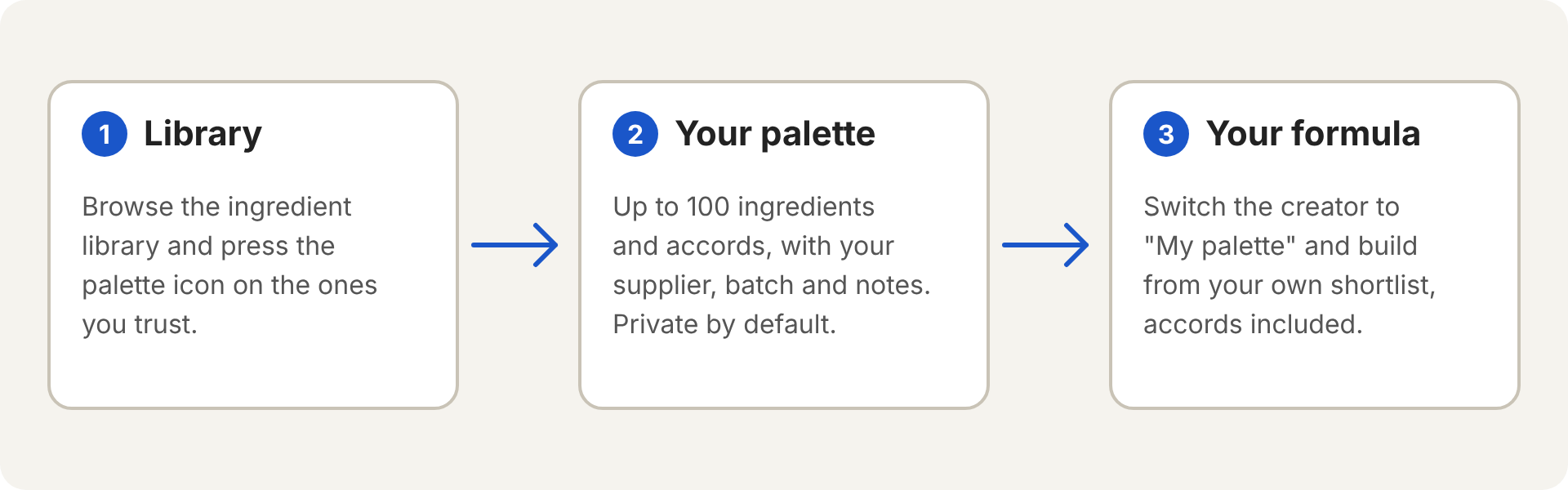
What is a perfumer’s palette?
Think of the materials within arm’s reach of your bench. You do not use every bottle you own in every formula. You return to the ones you know and trust. Your Inzenzo palette is the digital version of that shelf.
It holds two kinds of items:
- Ingredients from the Inzenzo library, such as Linalool or Hedione.
- Accords, which are your own formulas saved as ready-made blends you can reuse in other formulas.
Why a palette matters to perfumers
- You learn a material by using it again and again. Knowing how a material smells at different dilutions and how it behaves in a blend takes repetition. A shortlist keeps you working with the same materials, which is how that knowledge builds.
- You work faster. When you build a formula you can pick from your own shortlist instead of searching the whole library each time.
- You keep track of what is on your shelf. The same material from two suppliers can smell different, and one batch can differ from the next. Writing down the supplier and batch you use saves you guessing later.
- You can reuse your best blends. Many perfumers build accords, such as a rose base or an amber base, and use them again and again. A palette keeps those accords next to your raw materials.
How to add materials to your palette
You need a free Inzenzo account. Once you are signed in:
- Open any ingredient page from the ingredient library.
- Press the palette icon next to the ingredient name, at the top of the page. It fills in and reads “In your palette”.
- Repeat for the other materials you use. To take one out, press the icon again.
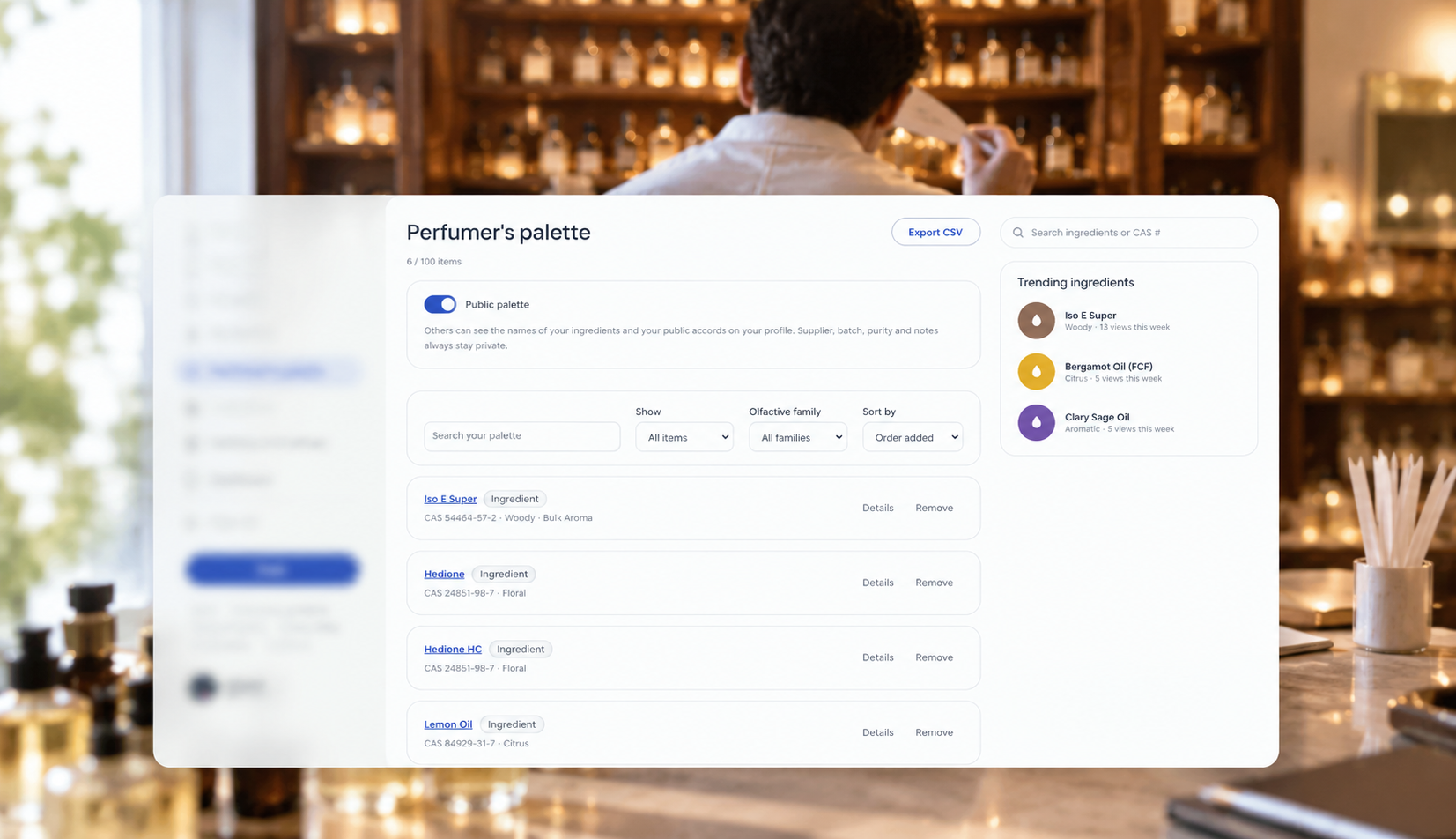
- Open Perfumer’s palette from the menu to see everything you saved.
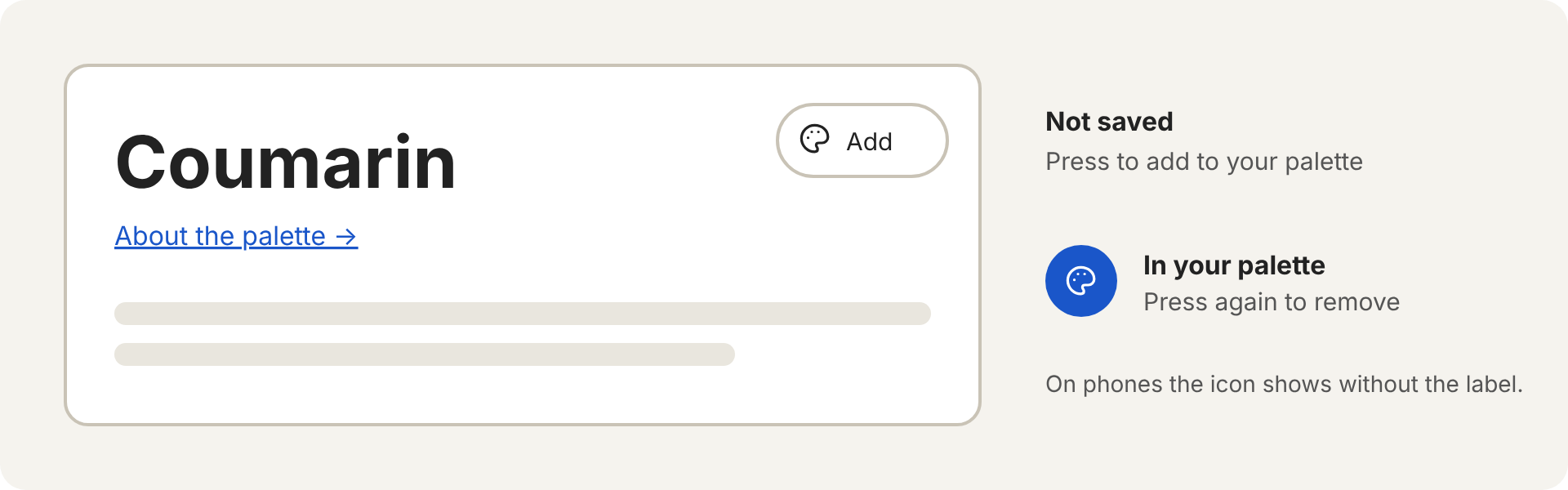
The limit is 100 items, ingredients and accords together. Remove an item and the space is free again.
Add your own details to each material
On your palette page, press Details under an ingredient. You can record:
- the supplier and the batch number
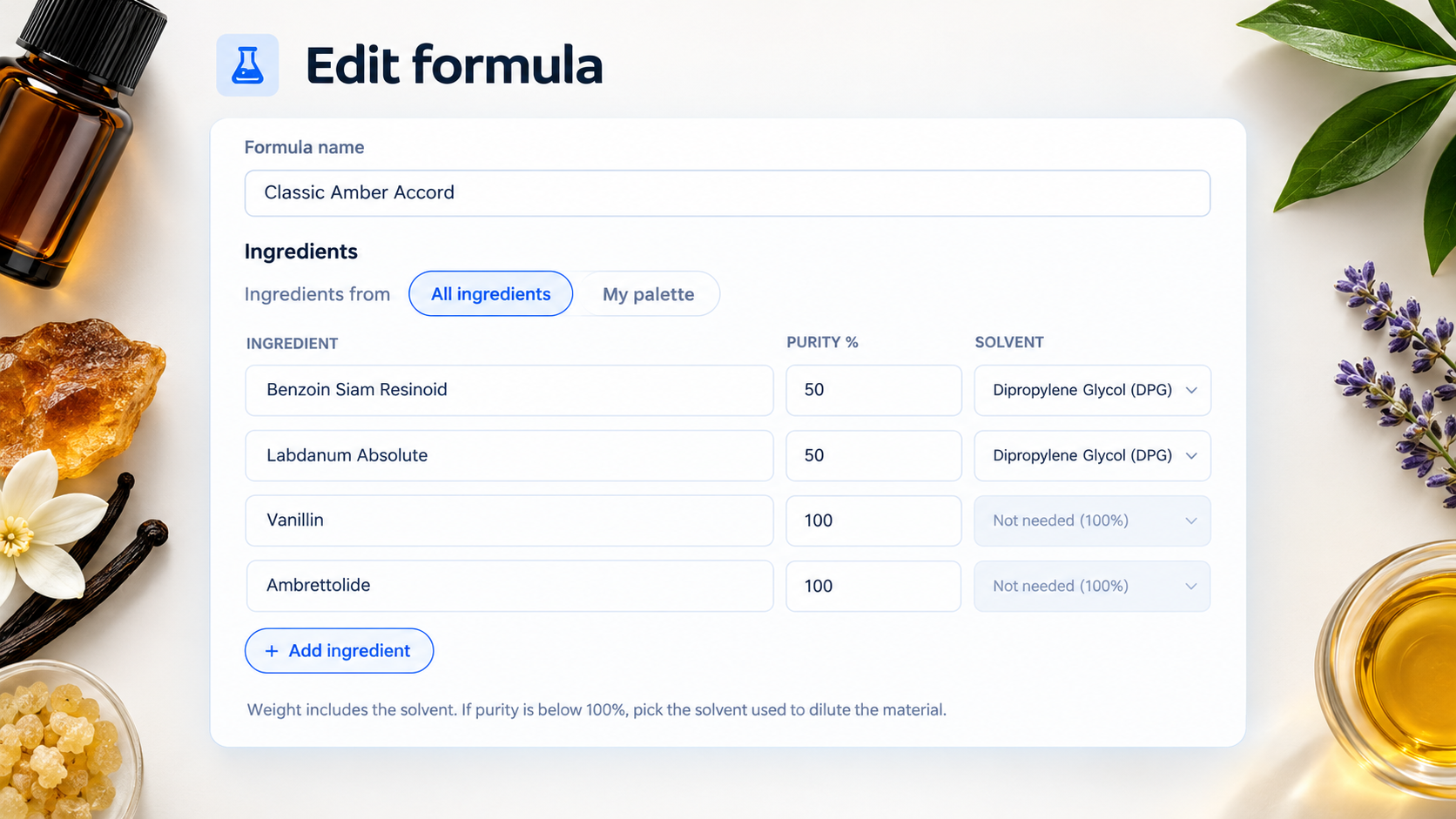
- the purity and solvent you usually use
- a short note, for example “use at 1% or less”
These details are plain text, and only you can see them, even when your palette is public.
Use accords in your formulas
An accord is a blend of materials that works as one building block. To make one, create a formula as usual, open it, and press Add to palette as accord. Only your own formulas can become accords.
When you build a new formula, an accord counts as one ingredient. You enter only its weight. Inzenzo does not copy its contents into the new formula. For example:
- Accord 1 (Iso E Super 50 g, Hedione 50 g) saved as an accord
- New formula: Accord 1 at 50 g and Bergamot at 50 g
- The formula totals 100 g, and each line is 50% of it
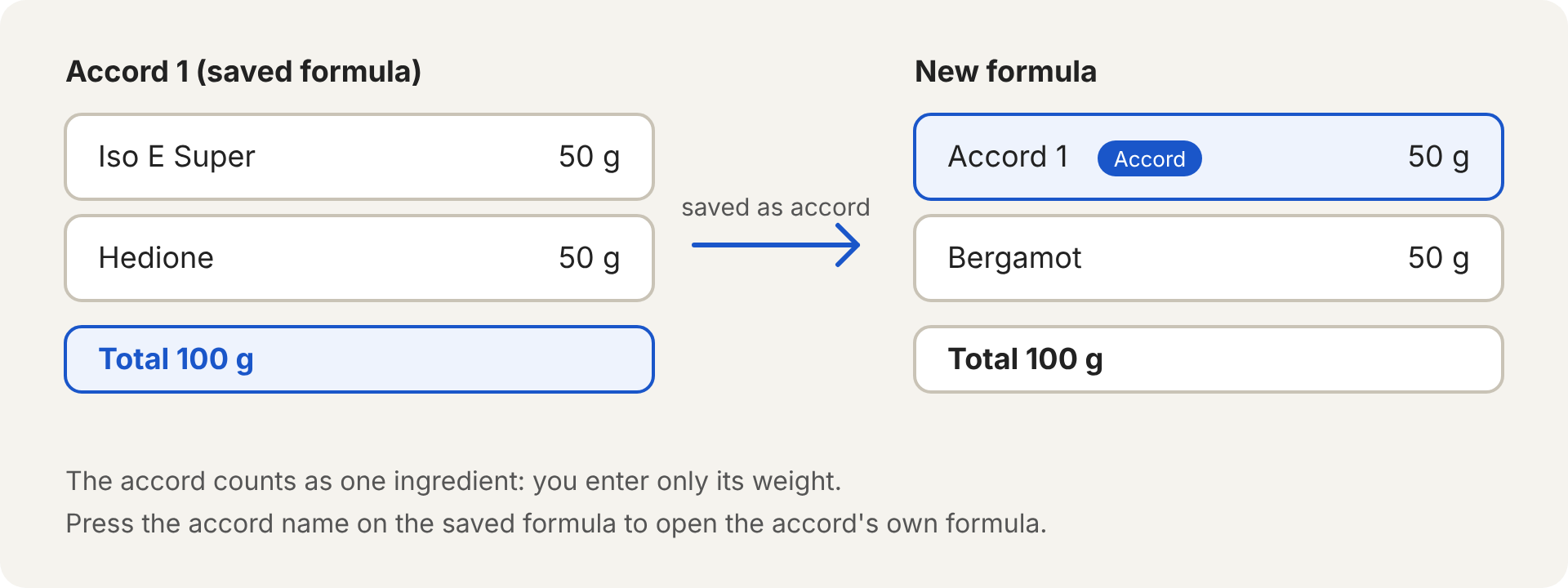
On the saved formula, press the accord’s name to open the accord. Keep the original accord formula safe. If you later want to rebuild a blend from its separate materials, you start a new formula from the accord’s own ingredient list.
If you delete a formula that is used as an accord, Inzenzo lists the formulas that use it and asks you to confirm. Deleting cannot be undone. The formulas that used it keep the accord’s name, but without a link.
Create a formula from your palette
In the formula creator, choose Ingredients from and switch between All ingredients and My palette. With My palette selected, the ingredient search shows only your saved ingredients and accords, and it fills in the purity and solvent you saved for each material.
Public or private?
Your palette is private until you decide otherwise. Switch on Public palette and other members see the names of your ingredients and your public accords on your profile. They never see your supplier, batch, purity or notes, and they never see a private accord.
Frequently asked questions
Can I save another member’s formula as an accord?
Not yet. Only your own formulas can be accords.
Are accords included in IFRA checks?
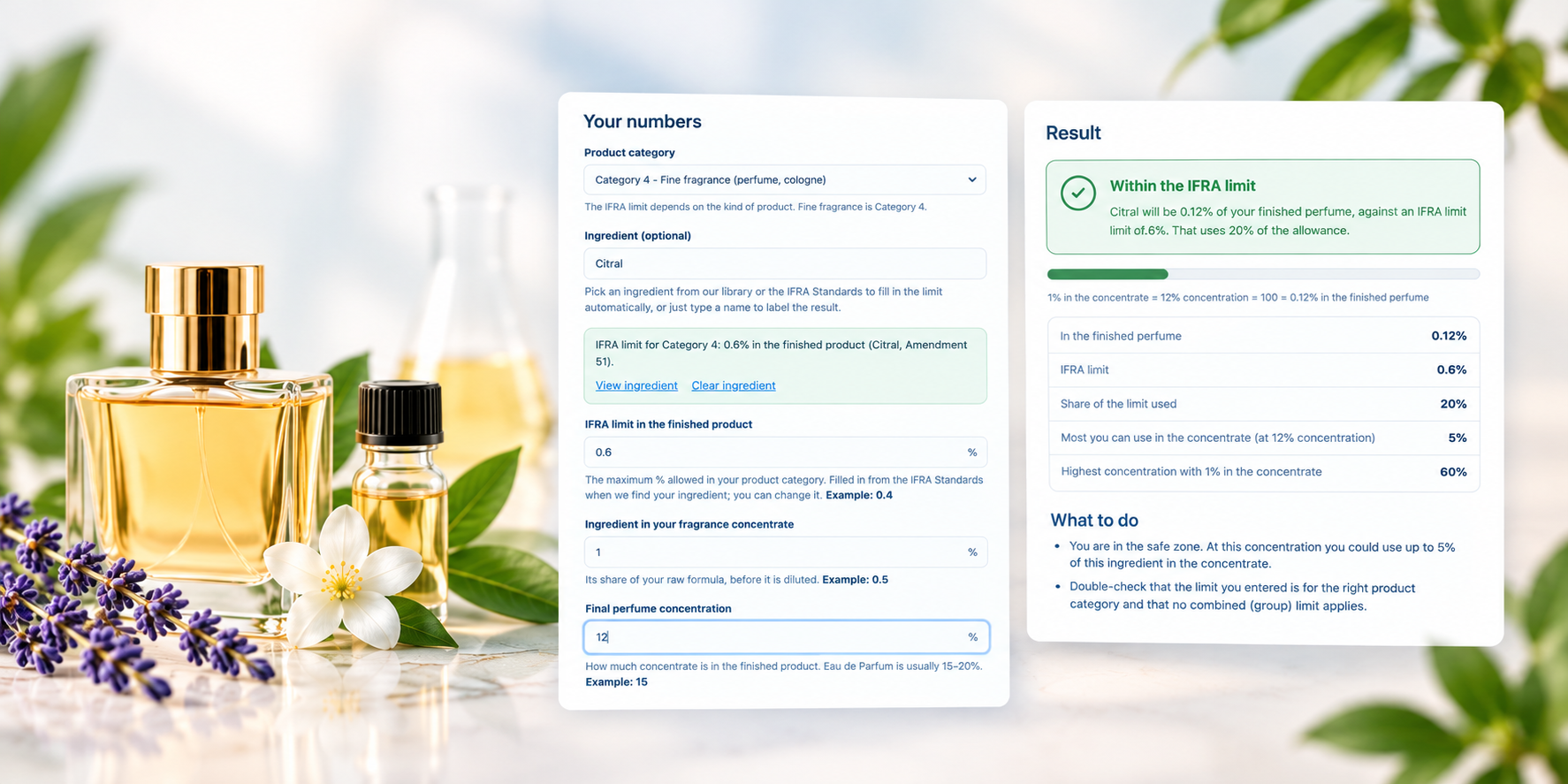
No. Inzenzo does not look inside an accord, so an accord line is not part of any check. Check the materials inside it yourself.
Can I download my palette?
Yes. Use Export CSV on your palette page. There is no import.